

Your Account page
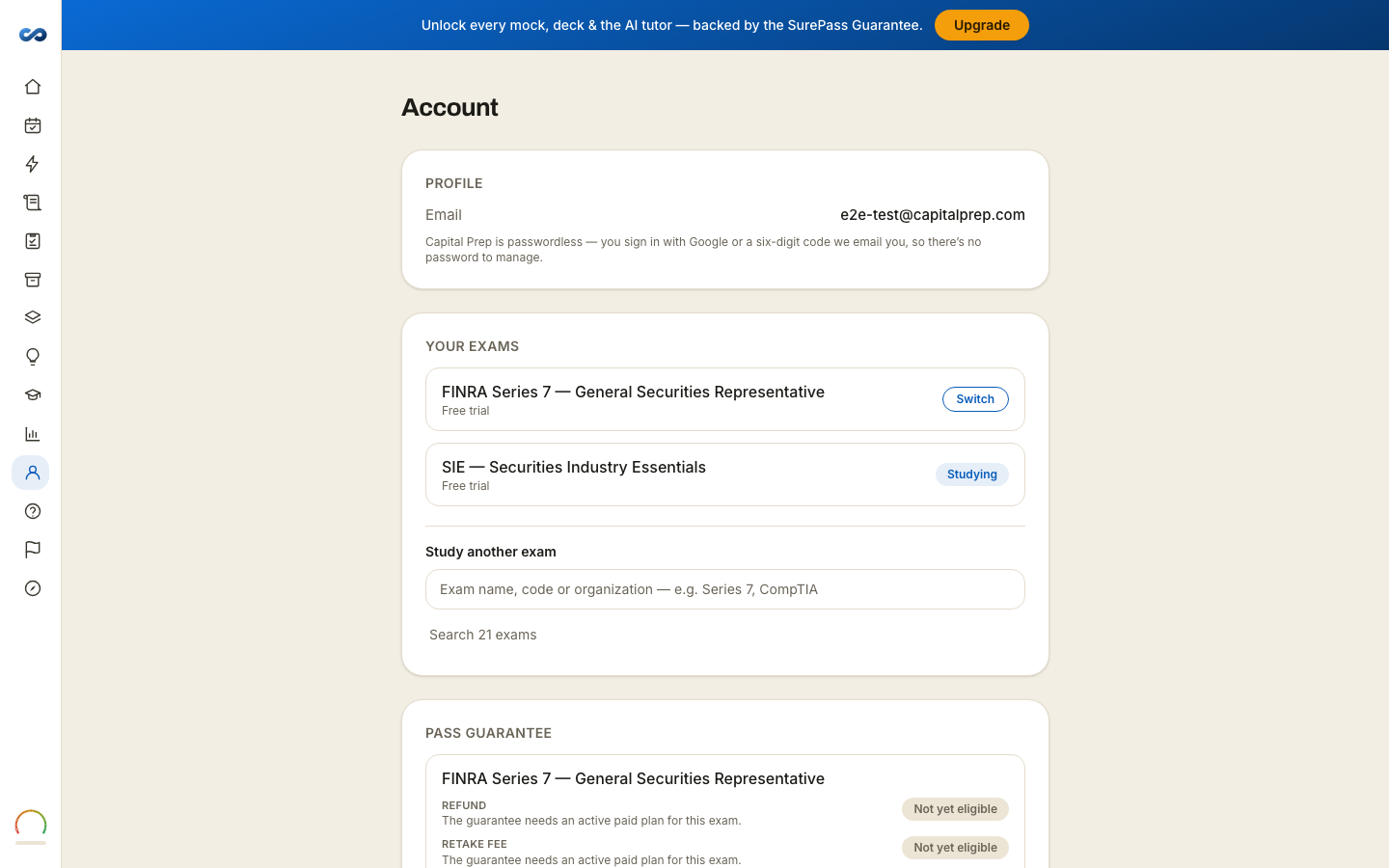
Everything about you, rather than about an exam, lives on Account.
- Profile — the email address you sign in with. Capital Prep is passwordless, so there is no password here to manage.
- Your exams — every exam you hold or have trialed, with Switch, and a search to add another. See "Adding or switching your exam".
- Pass guarantee — where you stand against each rung of the SurePass Guarantee, per exam, for every pass that carries it — the rungs themselves are in the Refund & SurePass Guarantee Policy.
- Settings — display name, theme, sounds, points pop-ups, study reminders and streak freezes, plus Replay product tour →. See "Appearance, sounds and reminders".
- Billing — Open billing portal, for your card and your invoices.
- Privacy & data — reset onboarding, export your data, delete your account.
- Session — Sign out on this device.
On a phone there is one extra section at the top, offering to install the app to your home screen.
Your email address is the key to everything
Access is granted to the address you paid with. If you bought with one address and sign in with another, you will see a trial rather than your pass — nothing is lost, it is simply on the other account. Email support and we will move the purchase across; see "I bought with the wrong email".
Signing out
Sign out signs out this device, and clears what was stored on it — including any guides you had downloaded. Anything you wrote offline and had not yet synced is kept safely for when you sign back in. There is no "sign out everywhere" list, because nothing signs you out on a timer in the first place.
More in Account, billing and privacy
Didn’t answer it?
hello@capitalprep.com · we aim to reply within a few hours.