

Appearance, sounds and reminders
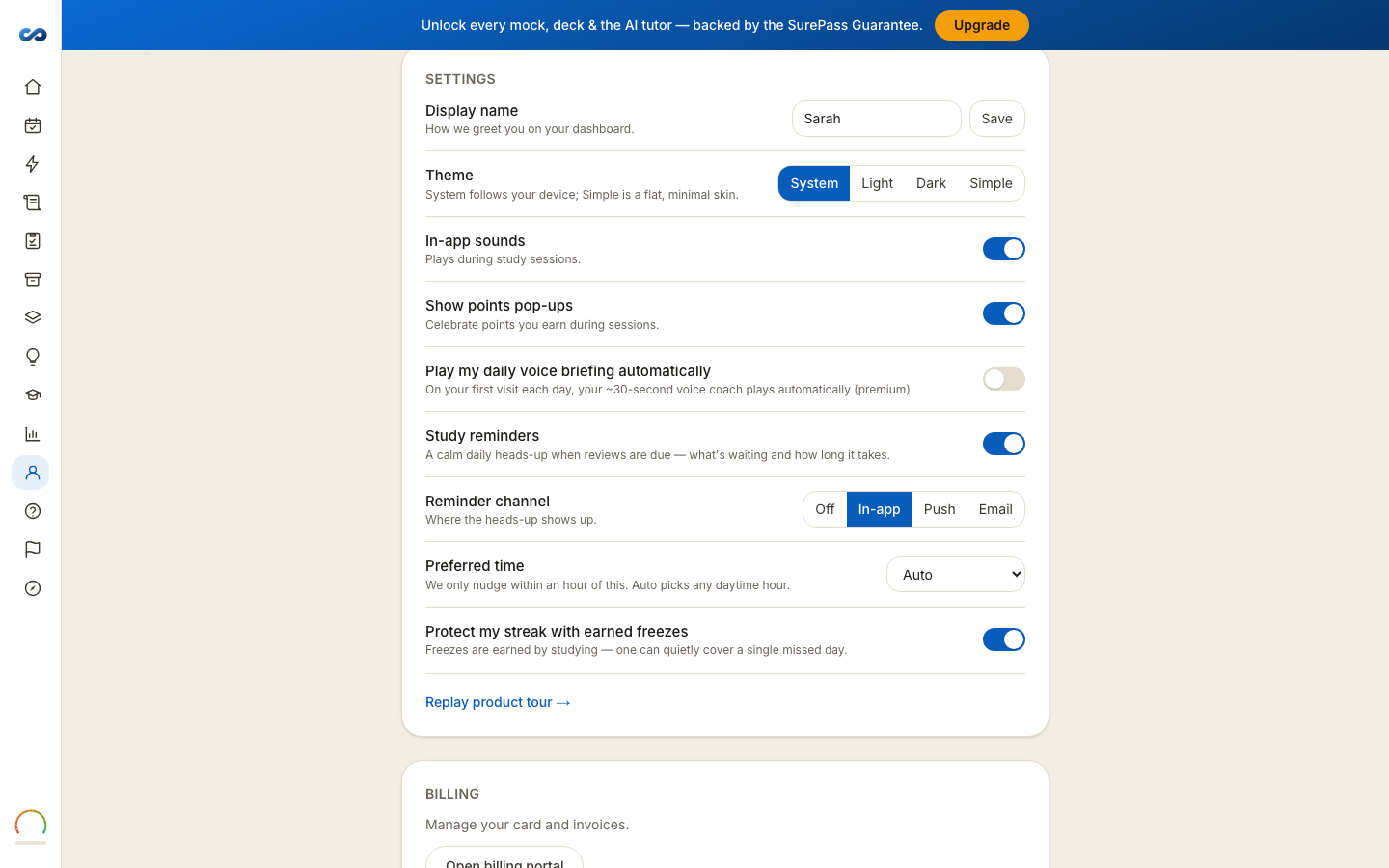
All of this lives under Settings on your Account page, and every change applies immediately — nothing needs saving except your display name.
Theme
Three looks, not a switch: Sand & Sky (our light look, and the default), Night (easier after dark) and Basic (a flat, minimal skin). Every new visit starts on Sand & Sky — the app does not follow your device's dark mode — and the look in effect is the one shown pressed. Choosing any of the three pins it.
Your choice follows your account, not the browser — set Night on your laptop and your phone matches. The reader has the same control in its own page settings, and the two can never disagree because they are the same setting.
Display name
How we greet you on your dashboard. Set it and press Save.
Sounds and pop-ups
- In-app sounds — plays during study sessions. On by default.
- Show points pop-ups — celebrates points you earn during a session. On by default.
- Play my daily voice briefing automatically (premium) — plays the day's voice briefing when you open your dashboard, instead of waiting for you to press play. Off by default.
Turn both off if you study somewhere quiet or you find the animation distracting. Neither affects what you earn.
Study reminders
- Study reminders — a calm daily heads-up when reviews are due: what is waiting, and how long it will take.
- Reminder channel — Off, In-app, Push or Email.
- Preferred time — we only nudge within an hour of it. Auto picks a sensible daytime hour.
Streak freezes
Protect my streak with earned freezes. Freezes are earned by studying, and one quietly covers a single missed day. Leave it on and an occasional missed day will not reset you; turn it off if you would rather the streak be literal. See "My progress or streak looks wrong".
Replaying the tour
Replay product tour → at the foot of Settings restarts the five-step tour on your dashboard, whatever pass you are on.
More in Account, billing and privacy
Didn’t answer it?
hello@capitalprep.com · we aim to reply within a few hours.