

Deleting your account, and exporting your data
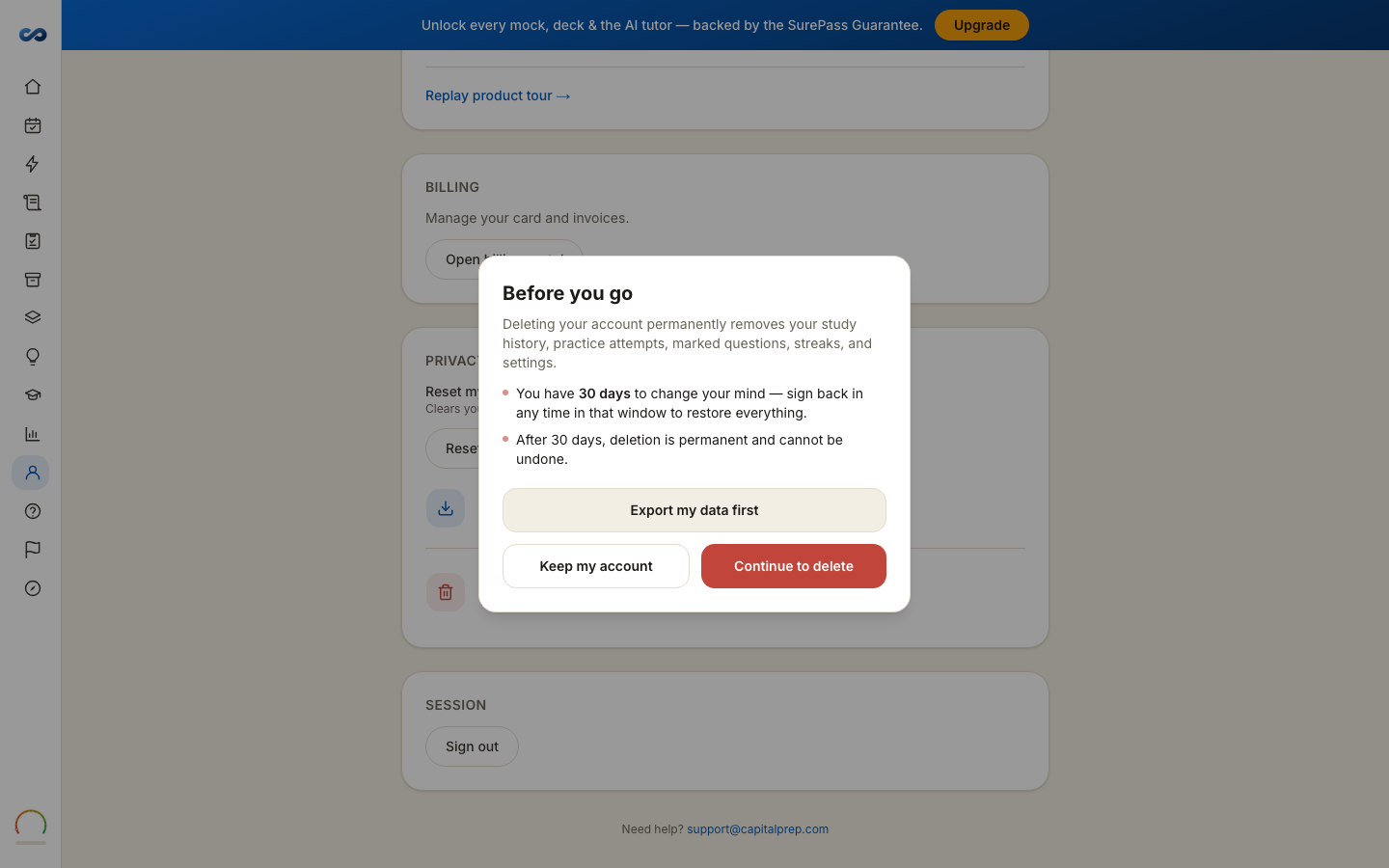
Both live under Privacy & data on your Account page.
Export your data
Export my data downloads a CSV covering your entitlements, your settings, your study preferences, your marked questions and your practice history. It is worth doing before you delete anything, and you can do it on its own at any time.
If you need something the CSV does not carry — your highlights and notes, for example — email hello@capitalprep.com and ask.
Delete your account
Choose Delete account. There are two steps on purpose:
- Before you go — offers you the export, or Keep my account, or Continue to delete.
- Type DELETE to confirm, then Delete my account.
You are signed out immediately and the device is cleared.
The 30-day grace period
Deletion is scheduled, not instant. For 30 days you can change your mind: sign back in and restore the account, with everything in it. During that window the app shows you one page — your account is frozen — telling you the exact date it will be deleted, with Restore my account and Export my data on it.
After 30 days it is permanent and cannot be undone.
Deleting removes your account and your study data: progress, highlights, notes, flashcard schedules and conversations.
Deleting is not a refund
If you want your money back, ask us first. Deleting your account does not start a refund, and it does not start a guarantee claim. Both routes, and the window on each pass, are in the Refund & SurePass Guarantee Policy.
Just want a fresh start?
Reset my onboarding clears your exam date and runs the welcome flow again while keeping your study history. That is usually what people actually want.
More in Account, billing and privacy
Didn’t answer it?
hello@capitalprep.com · we aim to reply within a few hours.