

Receipts, invoices and your card statement
On a paid pass
On your card statement
Your charge shows as CAPITAL PREP.
Your receipt
Payments run through Stripe, which emails you a receipt for the card charge. We send a separate confirmation of what you bought — subject line "Your exam pass is ready". That one rides a scheduled job, so it can take up to an hour to arrive. Your access does not wait for it.
Both go to the email address you used at checkout. The confirmation page after payment tells you which address that was, precisely so a typo is caught while you still remember it.
The billing portal
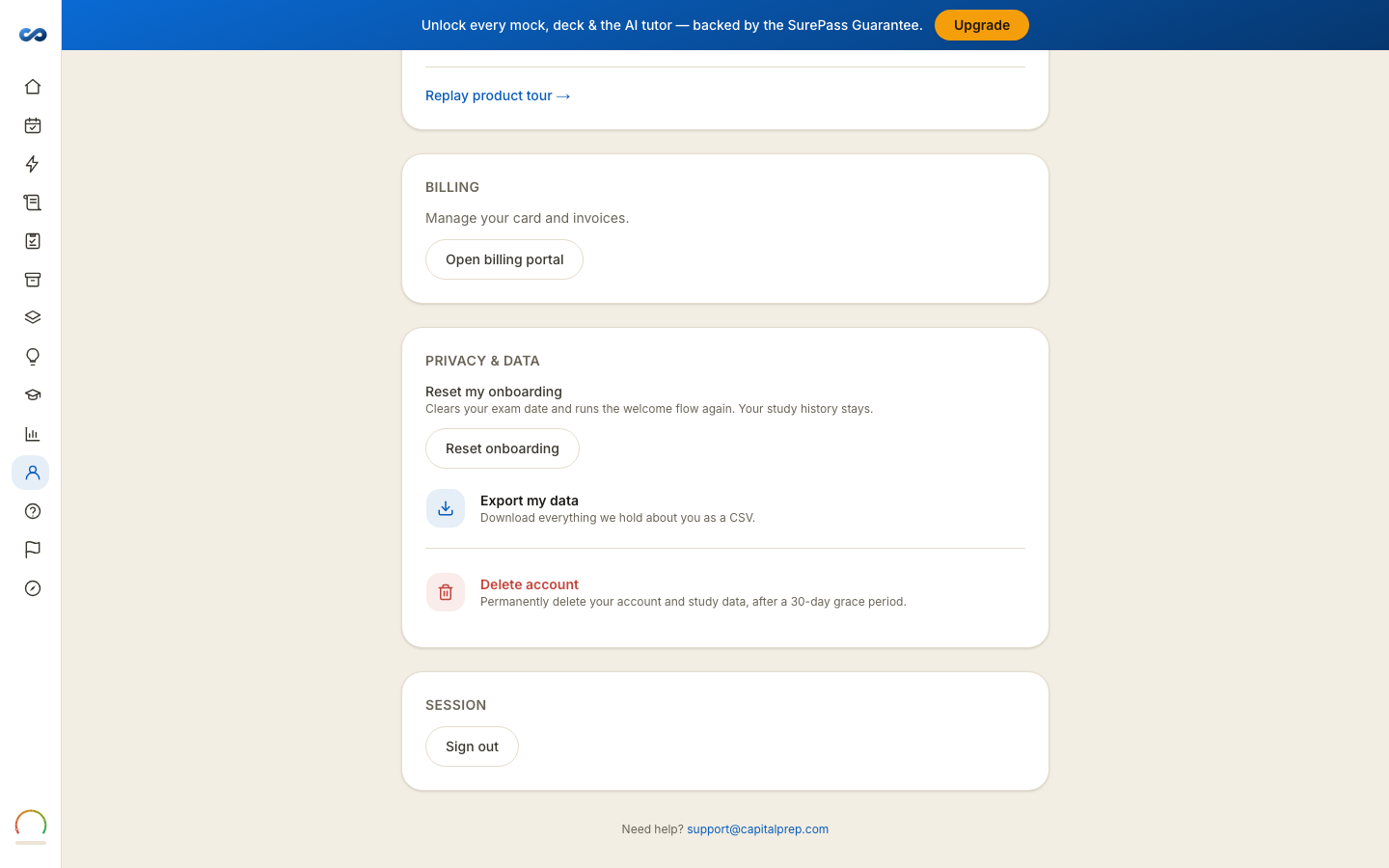
Account → Billing → Open billing portal opens Stripe's own portal, where you can see your purchase history and invoices and update a saved card.
Two things it deliberately cannot do:
- Cancel anything. There is nothing to cancel — passes are one-time payments. See "There are no subscriptions — nothing to cancel".
- Refund anything. Refunds go through us, by email, inside the window your pass carries — see the Refund & SurePass Guarantee Policy.
If the portal says there is nothing to open
Two versions of that message, and they mean different things:
- "No billing history yet — you're on a free trial." Nothing has been charged.
- "Your purchase is on record, but this account has no billing profile to open." This happens on some earlier purchases. Your access is unaffected. Email hello@capitalprep.com and we will send the receipt or change the card by hand.
Business or reimbursement paperwork
If your employer needs an invoice in a particular form, email hello@capitalprep.com with the address you paid under and what the invoice has to show. A person handles it.
More in Account, billing and privacy
Didn’t answer it?
hello@capitalprep.com · we aim to reply within a few hours.