

How to file a claim, step by step
On a paid pass
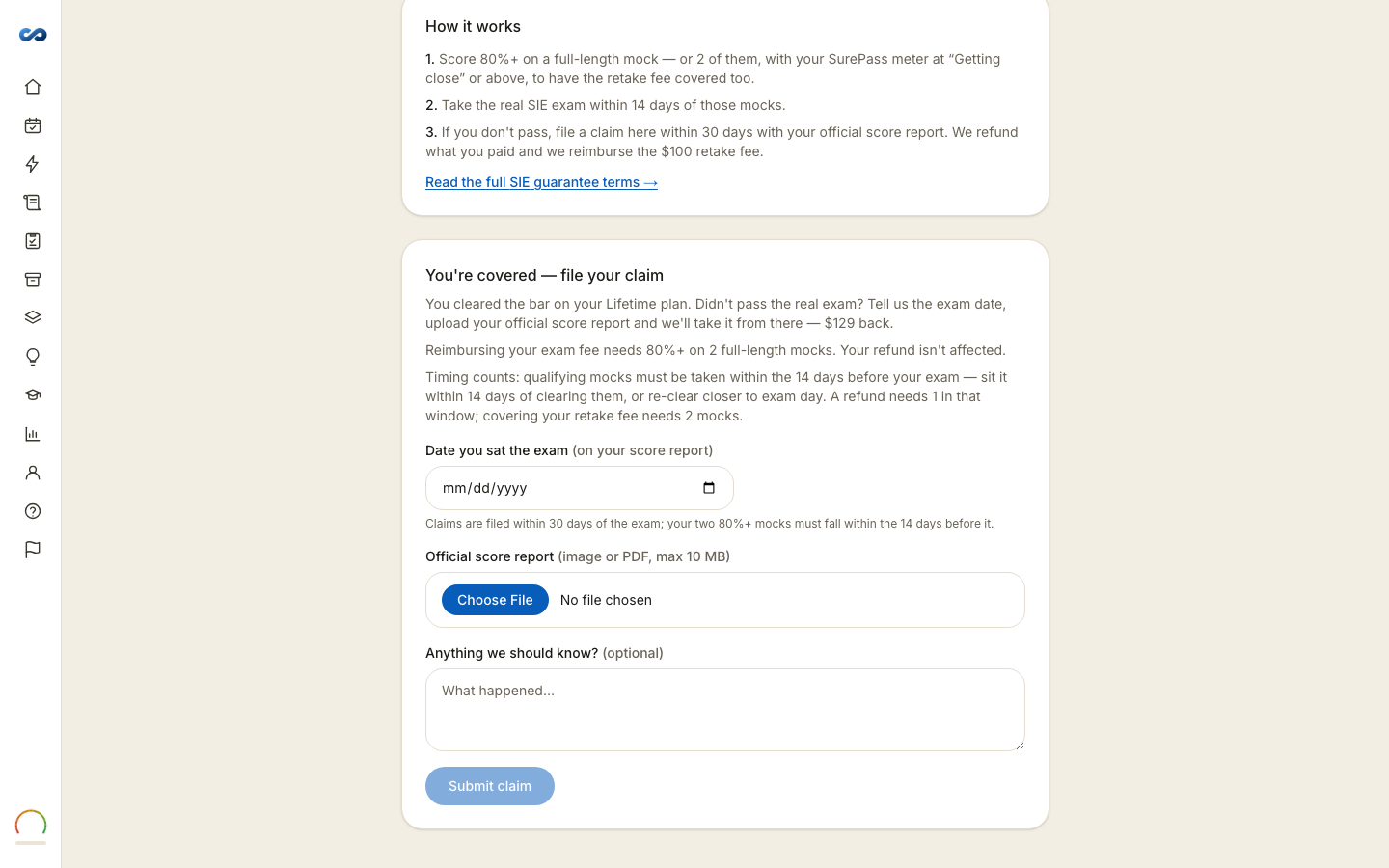
There are two ways to claim. Upload your official score report on your exam's Guarantee page in the app — the steps below — or email it, with the full name on your Capital Prep account, to guarantee@capitalprep.com.
To open the Guarantee page: on your dashboard, the guarantee card carries See your guarantee → (on Starter and Standard it reads Didn't pass? Keep studying free →). The same link is on your Account page, beside the exam.
Before you start, have this ready
- Your official score report — an image or a PDF, under 10 MB. A photo of the printout is fine; the provider's own emailed PDF verifies fastest. It must show your name, the exam, the result and the test date.
- The date you sat the exam, as printed on that report.
You do not need a retake receipt to file. The receipt comes later, after your claim is approved, and only on SurePass — see the retake reimbursement article.
On Starter and Standard the claim is the Keep-Studying Promise, not a refund: upload the failed score report — no mock bar applies — and your access keeps going, free, until you pass.
The form
- Date you sat the exam. Use the date on your score report, not the day you got the result. If you set an exam date in your plan it is filled in for you — confirm it or correct it. A date in the future is refused.
- Official score report. Attach the file. JPEG, PNG, WebP, HEIC and PDF are accepted.
- Anything we should know? Optional. Use it if something about your sitting needs explaining.
- Submit claim. On Starter and Standard the button reads Keep studying free.
We check your mock history against your account ourselves, so there is nothing else to gather. The page confirms the claim was filed and shows the refund it recorded — and, on SurePass, whether the retake fee rides along. If something is wrong, it tells you exactly which condition failed rather than a bare refusal, so you can usually fix it and file again.
The clock
- File within 30 days of your exam date.
- On SurePass, email the retake receipt within 90 days of opening the claim — you cannot always re-sit immediately, so this window is deliberately long.
- No claim can be filed more than 12 months after your purchase, or after your upgrade if you upgraded.
What happens next
Our team reviews your claim. Once it's approved, your refund goes out within 2 business days. It is paid to the card you paid with, and your bank may take a few days more to show it. Nothing is automatic: we do not auto-approve and we do not auto-refuse, and we email you the decision. A retake reimbursement is paid within 10 business days of receiving your receipt.
If a claim is refused on review, the email says so and invites you to reply — a person looks at it again.
One claim per exam, per account. For every reason a claim can come back refused, see "Why a claim can be refused".
On a phone
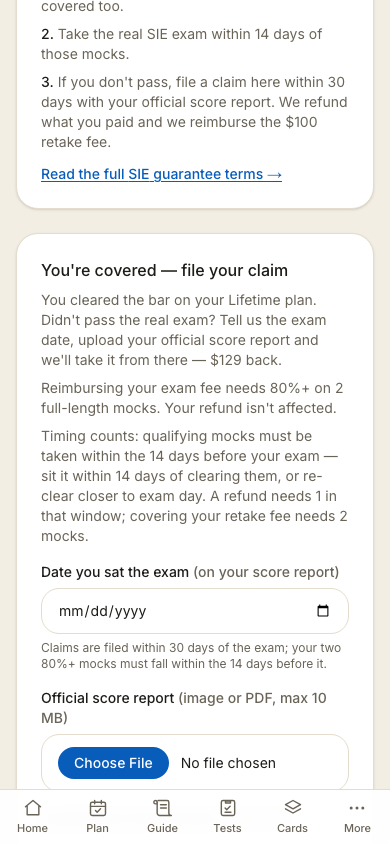
More in Plans, pricing and the guarantee
Didn’t answer it?
hello@capitalprep.com · we aim to reply within a few hours.