

The cheat sheet (the Exam-Day Cheat Sheet)
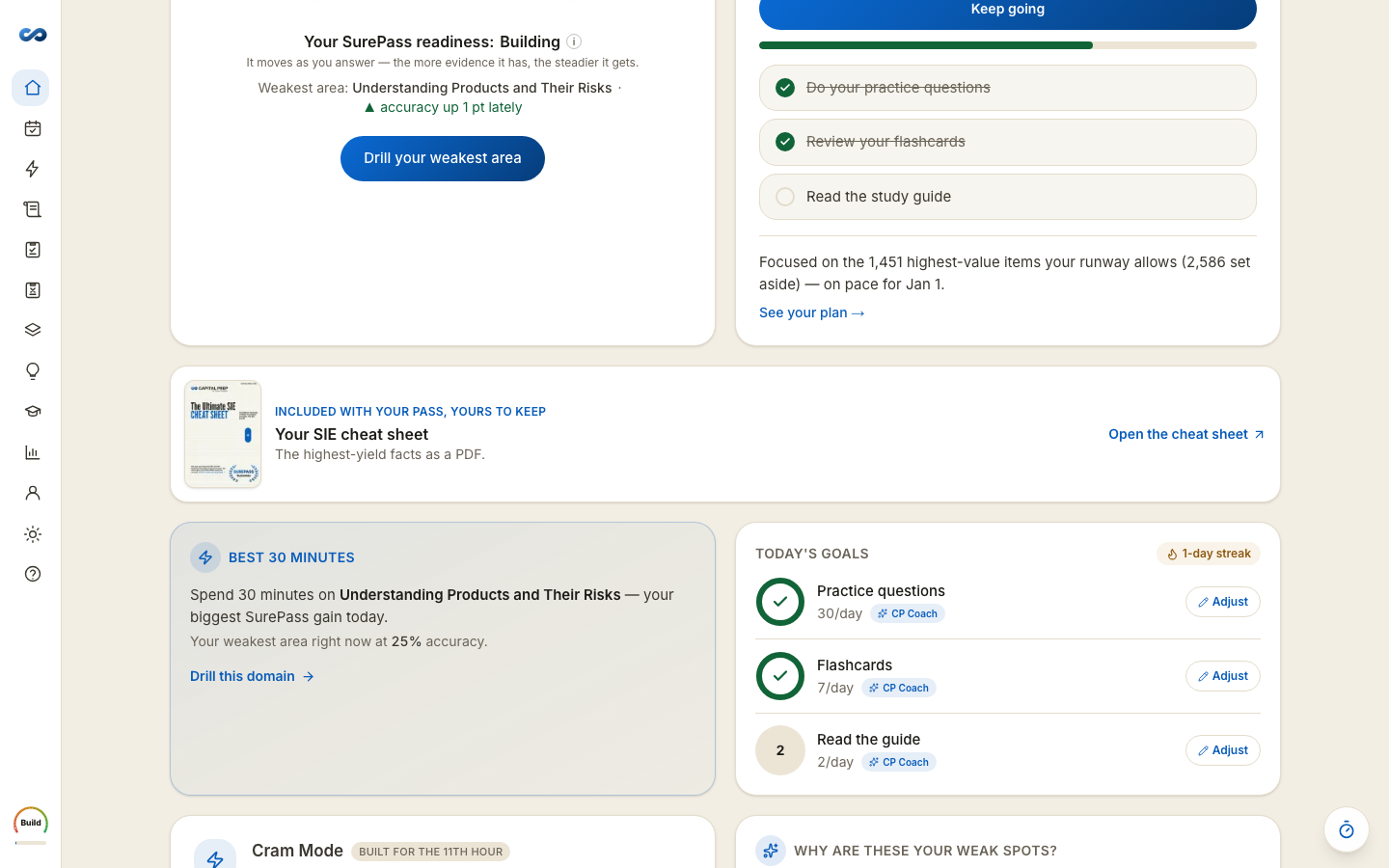
The cheat sheet is every number, threshold and list worth memorizing for the exam, in a few pages. On the sales page it is the Exam-Day Cheat Sheet; in the app the card simply names the exam and says cheat sheet. It is a PDF that comes with a plan. Download it from the viewer to keep a copy.
Where to find it
- On your dashboard — a card below your readiness meter. (On a trial you already hold it is in the Free on your trial band at the top instead.)
- In Extra Tidbits — it is the first thing on the page. Open Extra Tidbits from Jump back in on your dashboard.
- At the end of a Cram Mode block — the close-out hands it to you again, because the last hour is what it is for. (Cram Mode comes with SurePass.)
Each of them has the same button: Open the cheat sheet.
Opening, saving and printing it
Open the cheat sheet opens the sheet in a new tab, in its own viewer, so your study session stays where it was. To keep a copy on a laptop, use Download at the top right of that viewer; on a phone or tablet the viewer shows the sheet's cover with two buttons, Open the PDF and Download. From there you can print it or save it to your phone for exam morning.
How to use it
It is a final-review tool, not a way to learn the material. Read the guide and work the flashcards first; use the sheet in the last days to check that the numbers and lists are still there, and again on the morning of the exam.
Which plans include it
The Exam-Day Cheat Sheet comes with every plan: Starter, Standard and SurePass. If you already hold a trial, it is open on that too.
If the card is missing on your dashboard, open Extra Tidbits; if it is not there either, tell us which exam and we will look.
More in Flashcards and memory tools
Didn’t answer it?
hello@capitalprep.com · we aim to reply within a few hours.