

Mnemonics
On a paid pass
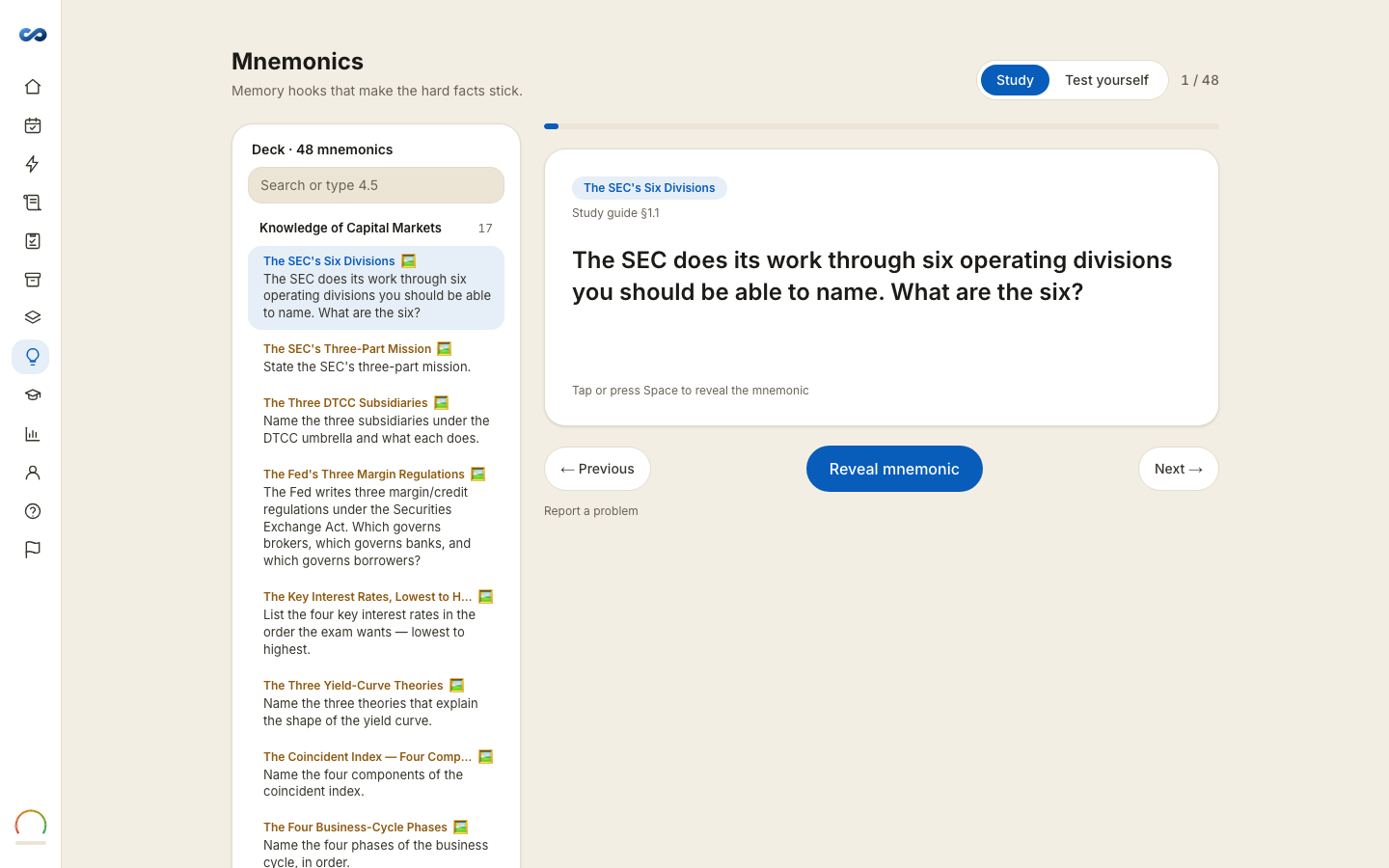
Memory hooks that make the hard facts stick — the lists, orders and easily confused distinctions people reliably lose under time pressure.
Two modes
- Study — browse the deck. Flip a card to see the device, what each part stands for, the note explaining it, and the illustration.
- Test yourself — type the mnemonic, then what each part maps to, and have it marked. Grading is lenient: it is checking that you have it, not your spelling. The picture is only shown after your attempt, so it cannot give the answer away.
Arrow keys move between cards; Space flips.
Some cards have no parts broken out yet and cannot be drilled — those say so and offer to be studied instead.
Making your own
Make your own mnemonic takes a topic — "types of preferred stock" — and a shape: Ordered steps, A set to recall, Numbers & limits, or Easy to confuse. Picking the right shape matters more than the topic wording, because the shape is what the device has to carry.
In the study guide
Where a section has a memory hook, it appears at the foot of that section with a link into the flashcards that drill it.
No scores here
There is no scheduling and no saved score in Mnemonics. It is a study aid, not a graded loop — the drilling happens in flashcards.
Availability
Mnemonics are open on every pass, and on a trial you already hold while its clock runs. When the trial closes every card stays listed with its artwork and title, so you can see the size of the deck; the device itself and its breakdown come back with a pass.
Not every exam has a mnemonic deck yet. Where one is still being built, the page says so and points you at your flashcards.
More in Flashcards and memory tools
Didn’t answer it?
hello@capitalprep.com · we aim to reply within a few hours.