

Teach It
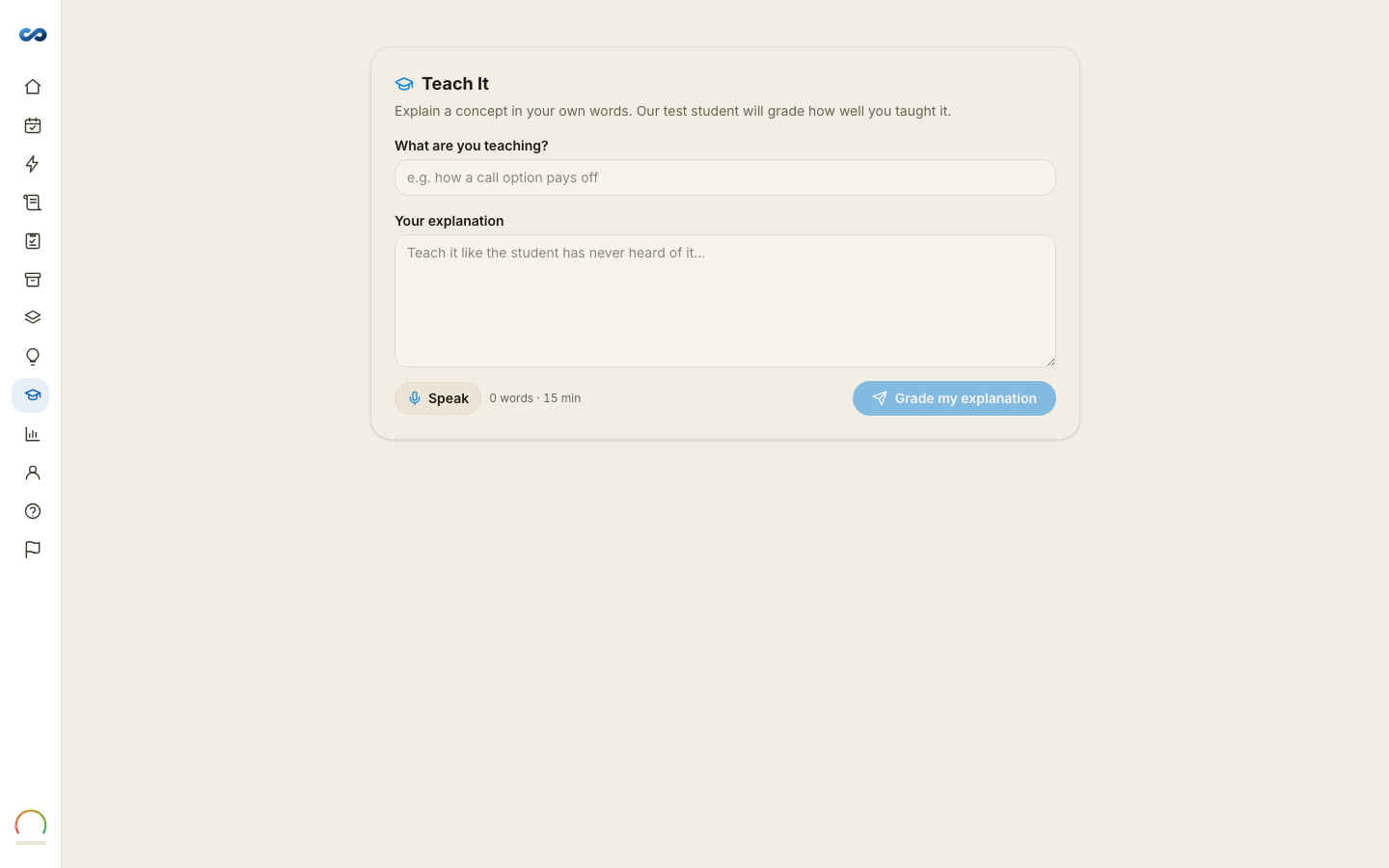
Explain a concept in your own words, and a test student grades how well you taught it. It is the fastest way to find the difference between recognizing an answer and knowing it — which is the gap that shows up on exam day.
How it goes
- What are you teaching? Pick a concept. The suggestions come from your own guide, and your weak areas are marked as such.
- Your explanation. Type it, or speak it — there is a dictation button. Teach it as though the student has never heard of it. There is a minimum of about fifteen words, because anything shorter is not an explanation.
- Grade my explanation.
What comes back
- Overall, plus three meters: Clarity, Completeness and Accuracy. Accuracy weighs most, then completeness, then clarity — being clear about something wrong is not the goal.
- Your test student's reply, in character.
- You nailed — what you got across.
- You missed — the gaps, each with Make flashcard and a link straight to the section in your guide.
Why it works
Explaining forces you to produce the material instead of recognizing it, and it exposes the joins you have been skating over. The name for this is the Feynman Method; the useful part is that a fluent explanation and a real one feel identical from the inside until someone asks a question.
Say it the way you would say it to a colleague. You are not marked on phrasing. You are shown the holes.
Availability
Teach It works on every pass, and on a trial you already hold, drawing on your daily AI allowance like Ask Miles. If your access has ended you will see the preview and what unlocks it.
The page's browser tab still reads "Teach-back", which is its older name — same thing.
More in Flashcards and memory tools
Didn’t answer it?
hello@capitalprep.com · we aim to reply within a few hours.