

Making your own flashcards
On a paid pass
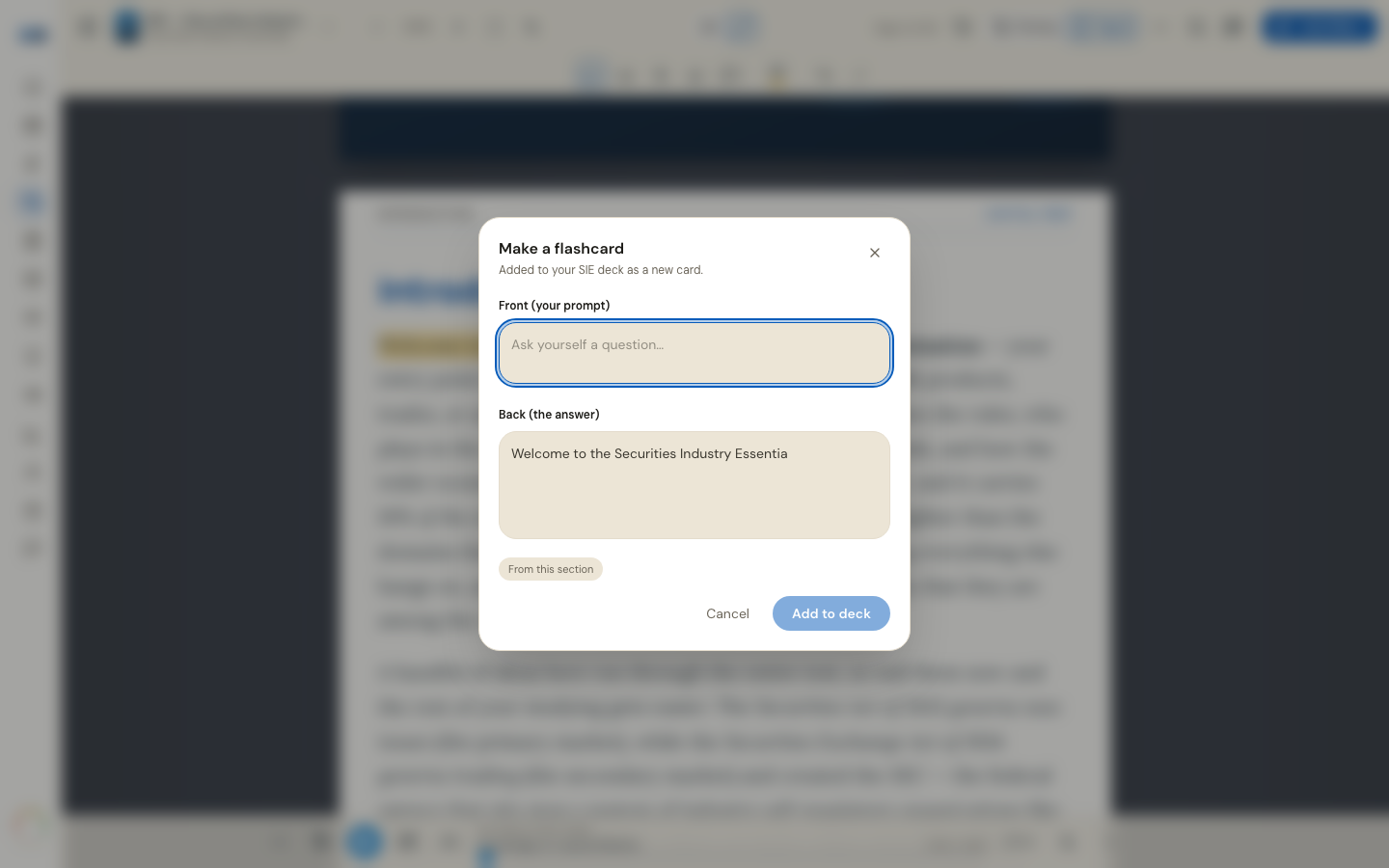
Your own cards go into the same deck as ours and are scheduled by the same system. There are three ways to make one.
From the study guide
Highlight a passage in Annotate mode and choose Make flashcard. The composer opens with Back (the answer) already filled in from what you highlighted; you write the Front (your prompt) and add it.
A long passage is trimmed, and the composer tells you when it has been — edit it down. A card whose back is three sentences is a card you will rate "Again" forever.
From a question you just answered
After a practice question is graded, Save as flashcard turns it into a card. Press it once; it confirms with In your deck and will not duplicate if you press it again.
From Teach It
When Teach It grades your explanation, each gap it found carries a Make flashcard button — the fastest route from "I could not explain that" to "I will be asked that tomorrow".
How your own cards behave
- They are scheduled exactly like every other card, by the same FSRS engine.
- They are exempt from the daily new-card pacing, because you just decided they matter.
- They are always visible, even after the trial closes and authoring locks — a card you made must never look lost.
Writing a card worth having
One idea per card. A prompt that asks a question rather than naming a topic. An answer you could say out loud in a sentence. If you cannot get it under a sentence, that is usually two cards.
Making your own cards is open on every pass, and on a trial you already hold while its clock runs. When the trial closes the button is there with a lock, and says what unlocks it.
More in Flashcards and memory tools
Didn’t answer it?
hello@capitalprep.com · we aim to reply within a few hours.