

Listening to the guide
On a paid pass
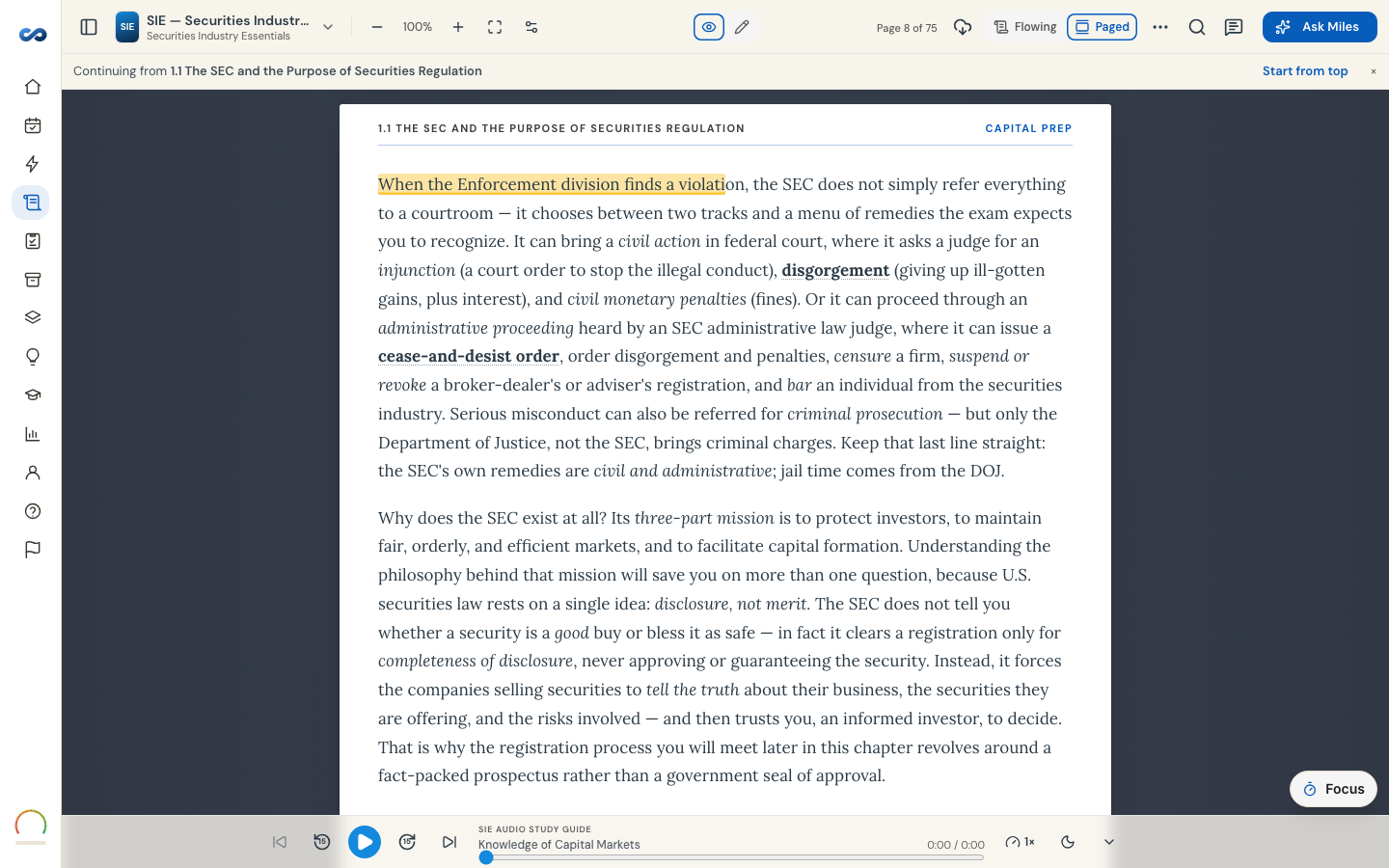
Most guides are narrated chapter by chapter. Narration is open on every paid pass and, on a trial you already hold, for its 24 hours. Once the trial's clock closes, the round Audio button (bottom-right, a headphones icon) opens the player locked — you can see the transport, but play, the scrubber and Unlock audio take you to the upgrade; the first chapter of the guide stays readable.
The player sits along the bottom of the reader. Left to right: Previous chapter, Rewind 15 seconds, Play, Skip ahead 15 seconds, Next chapter, and a scrubber you can drag. On a narrow phone only rewind and play stay on the bar.
- Playback speed — 0.75×, 1×, 1.25×, 1.5×, 1.75× or 2×. Remembered per exam.
- Sleep timer — 5 to 60 minutes, or End of chapter, or Off. A timed one fades the volume out over the last few seconds. This control is on laptops and tablets; phones do not have it.
- Hide audio player collapses the bar to the round Audio button. Playback carries on while it is hidden — tap the button to bring the bar back.
Where you left off. Your position is remembered per chapter and rewinds a few seconds when you come back, so you never rejoin mid-word. Playback survives moving between chapters.
With the screen off. Audio keeps playing when you switch apps or lock your phone, and your lock screen and headphone buttons control it.
Not every exam and not every chapter is narrated. Where narration exists the player is there; where it does not, the bar says "no narration yet" for that chapter and the guide is unaffected.
Offline. Chapter audio is included when you download a guide — for paid learners; the trial streams narration but does not download it. If some of it could not be saved, the download row tells you and you can try again online.
If nothing plays, see "Audio won't play".
More in The study guide
Didn’t answer it?
hello@capitalprep.com · we aim to reply within a few hours.