

Your performance page
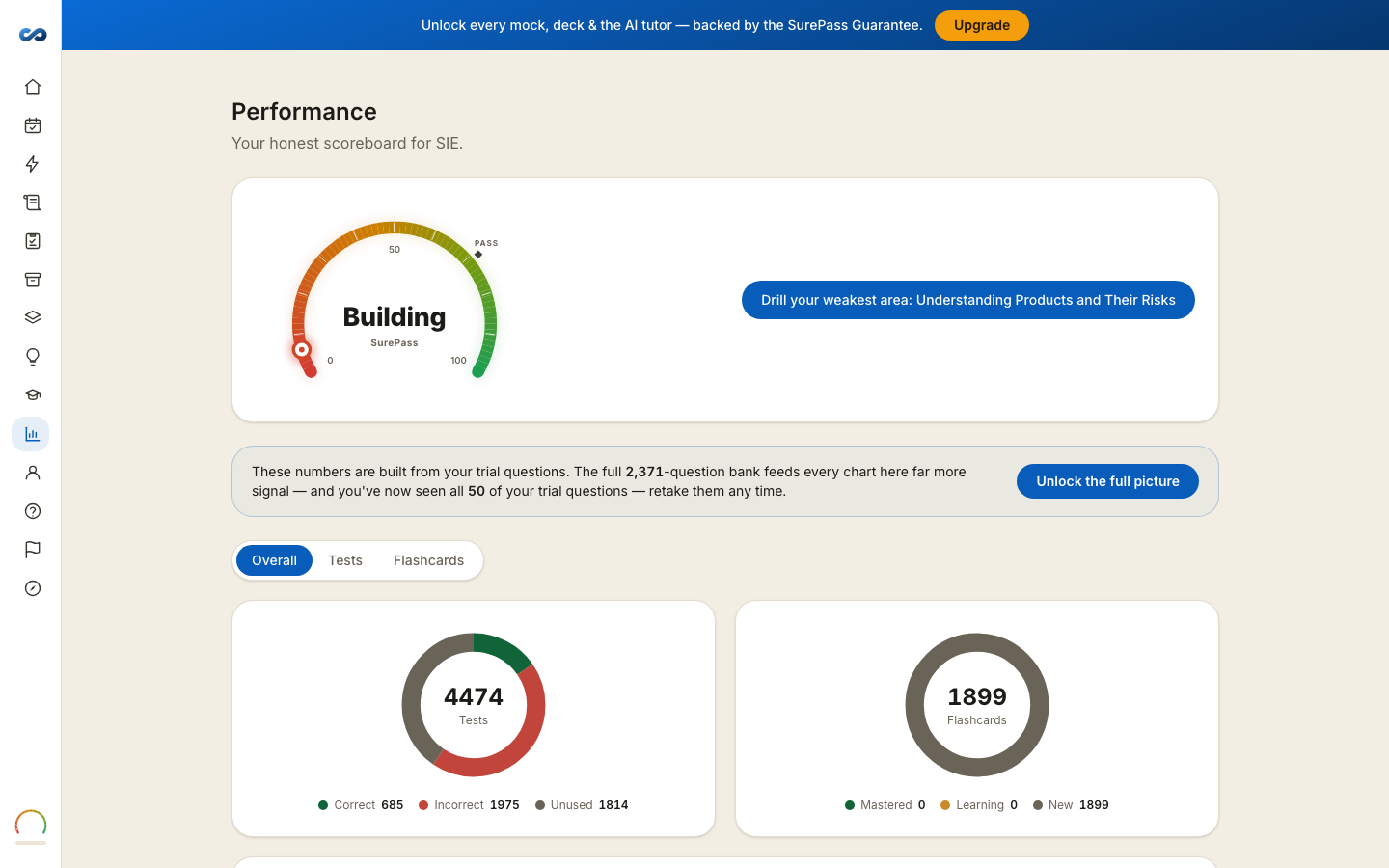
Your honest scoreboard for the exam. It is the page to open when you want the numbers rather than a feeling.
At the top
Your readiness meter and the single next action worth taking — "Drill your weakest area", "Cover more of the question bank", "Take a full-length mock to confirm you're ready". While the meter is still locked it tells you how many more answers it needs.
The three tiles
- Accuracy — correct out of attempted.
- Coverage — how much of the question bank you have seen.
- Pace — your average time per question.
Accuracy without coverage is a small sample. Coverage without accuracy is a tour. The meter reads both.
The rest of the page
- Two donuts — Tests (correct / incorrect / unused) and Flashcards (mastered / learning / new).
- Accuracy trend across your last several finished sessions.
- Performance by domain, or by chapter where your exam has both — accuracy and a count per area, so the weak one is obvious.
- Flashcard mastery by domain, with a link straight into that deck.
The exclusion note
Where it applies, the page says plainly how many of your answers are left out because you took a Steer hint on them, and why. Nothing is quietly adjusted behind the scenes.
After the trial's clock closes
The page keeps working, built from the 50-question pool that stays open. It tells you so, because 50 questions is a real reading of very little — the numbers sharpen again on the full bank with a pass.
Where to go next
Blueprint coverage answers "have I touched everything?". This page answers "how am I doing on what I have touched?". They are different questions and they have their own pages.
More in Practice, mocks and your plan
Didn’t answer it?
hello@capitalprep.com · we aim to reply within a few hours.