

Blueprint coverage
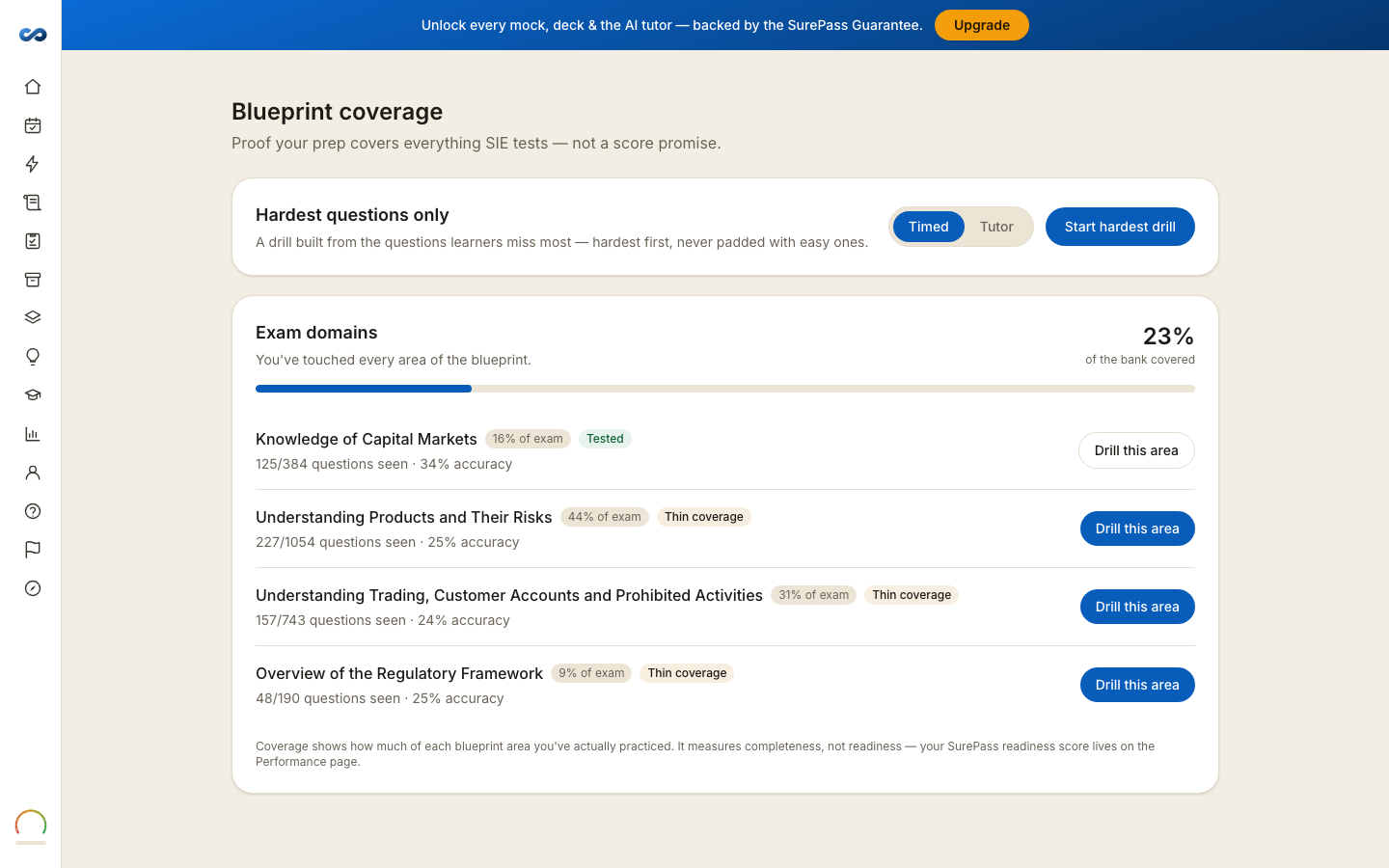
Proof your preparation covers everything the exam tests. It is a completeness check, not a score — a page you open to find the thing you have not looked at yet.
Blueprint coverage is part of the SurePass Score, which comes with SurePass.
How to open it
The page has no entry in the side rail yet. Open your Performance page and, in
your browser's address bar, replace the word performance at the end of the address
with coverage.
The checklist
Every area of your exam's official outline, with:
- how much of the exam it is worth — the share of the exam, printed on the card;
- a status — Tested, Thin coverage (you have touched it, but seen only a small share of its questions), or Not tested yet;
- how many of its questions you have seen, and your accuracy on them;
- Drill this area, which builds a ten-question tutor session on the spot.
At the top of the checklist, one number: how much of the whole bank you have covered.
Why "not tested yet" matters more than a low score
A domain you have never touched is a hole with no number on it. A domain with a score on it is a known quantity you can improve. The red badges are the ones to clear first, and each card prints how much of the exam its area is worth.
Hardest questions only
The page also offers a drill built from the questions learners miss most, hardest first, never padded with easy ones — in tutor or timed mode. It is the bluntest instrument on the site and it is very good for the week before.
What it does not tell you
Coverage measures completeness, not readiness. Seeing every area is not the same as being ready for any of them. Your readiness meter and your accuracy live on the Performance page — see "Your performance page".
Where an exam has no official published weighting loaded, the cards simply carry no "of exam" share rather than an invented one.
More in Practice, mocks and your plan
Didn’t answer it?
hello@capitalprep.com · we aim to reply within a few hours.