

Miles around the app — Explain my miss, your weak areas and the daily voice coach
On a paid pass
Miles lives in your study guide, but three of his jobs happen elsewhere. All three are part of Ask Miles.
Explain my miss
Get a practice question wrong in Tutor mode and Explain my miss appears under the explanations. It walks through why your answer was wrong and the right one is right, from your own study guide, with links to the sections it used. On the review at the end of a session the button reads Explain my answer.
Explain my weak areas
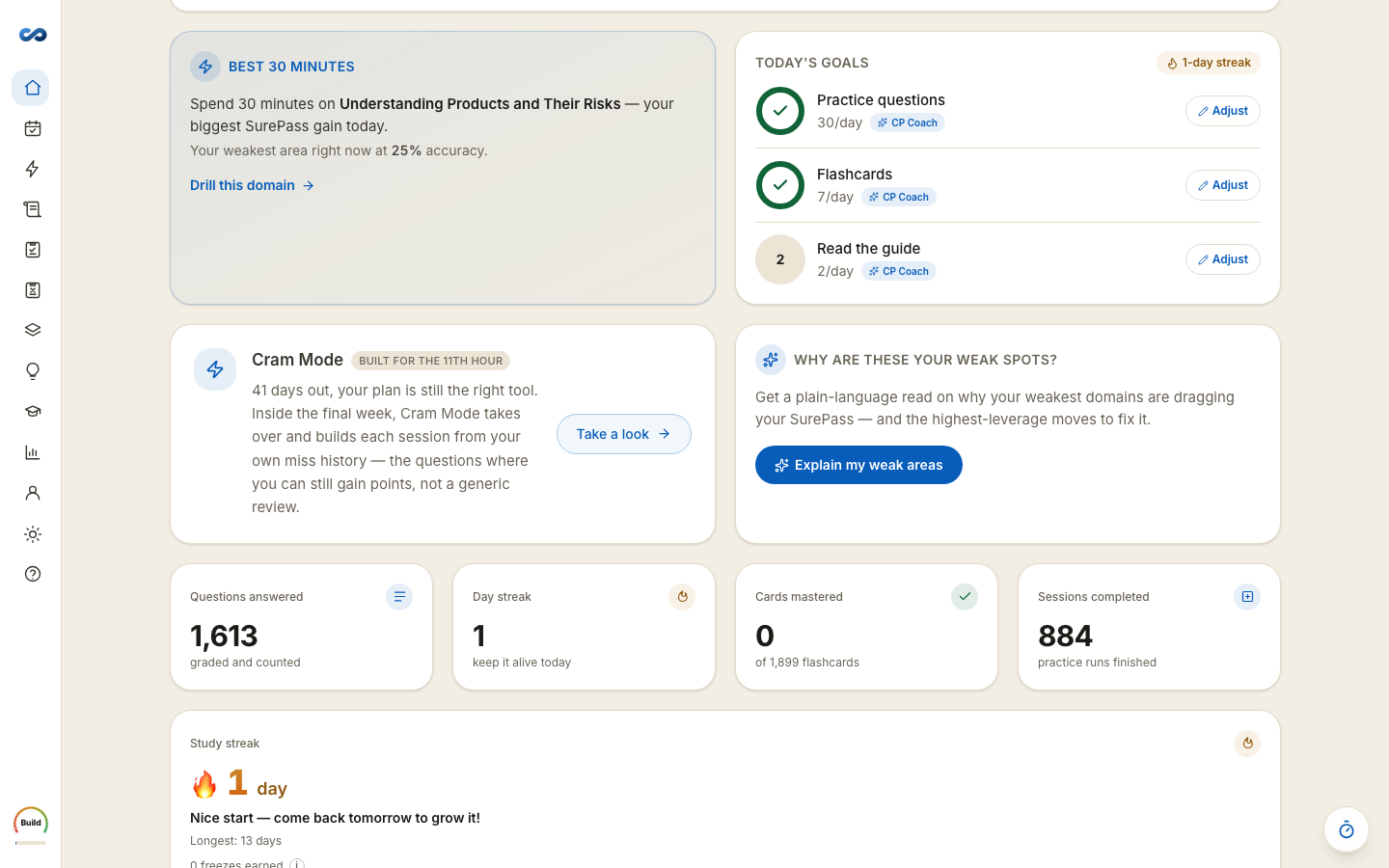
On your dashboard, the card Why are these your weak spots? has a button, Explain my weak areas. It gives you a plain-language read on why your weakest domains are holding you back and the moves most worth making next, each one a link into practice.
It needs evidence first. Until you have answered enough questions it tells you so and does not guess. It explains your numbers; it never changes them.
Your daily voice coach
Near the top of your dashboard is Your daily voice coach — a short spoken briefing on where you stand and what today's plan is. Press play to hear it. Show transcript gives you the same words to read.
To have it play by itself on your first visit each day, turn on Play my daily voice briefing automatically under Account → Settings. It is off by default.
Which plans include it
All three come with SurePass, as part of Ask Miles. On a plan without Ask Miles the two dashboard cards are not shown, and Explain my miss shows a lock. Explain my miss and Explain my weak areas each use one of your daily Miles messages.
For Miles in the guide, see "What Ask Miles is".
More in Ask Miles
Didn’t answer it?
hello@capitalprep.com · we aim to reply within a few hours.