

Popular questions and Try it out
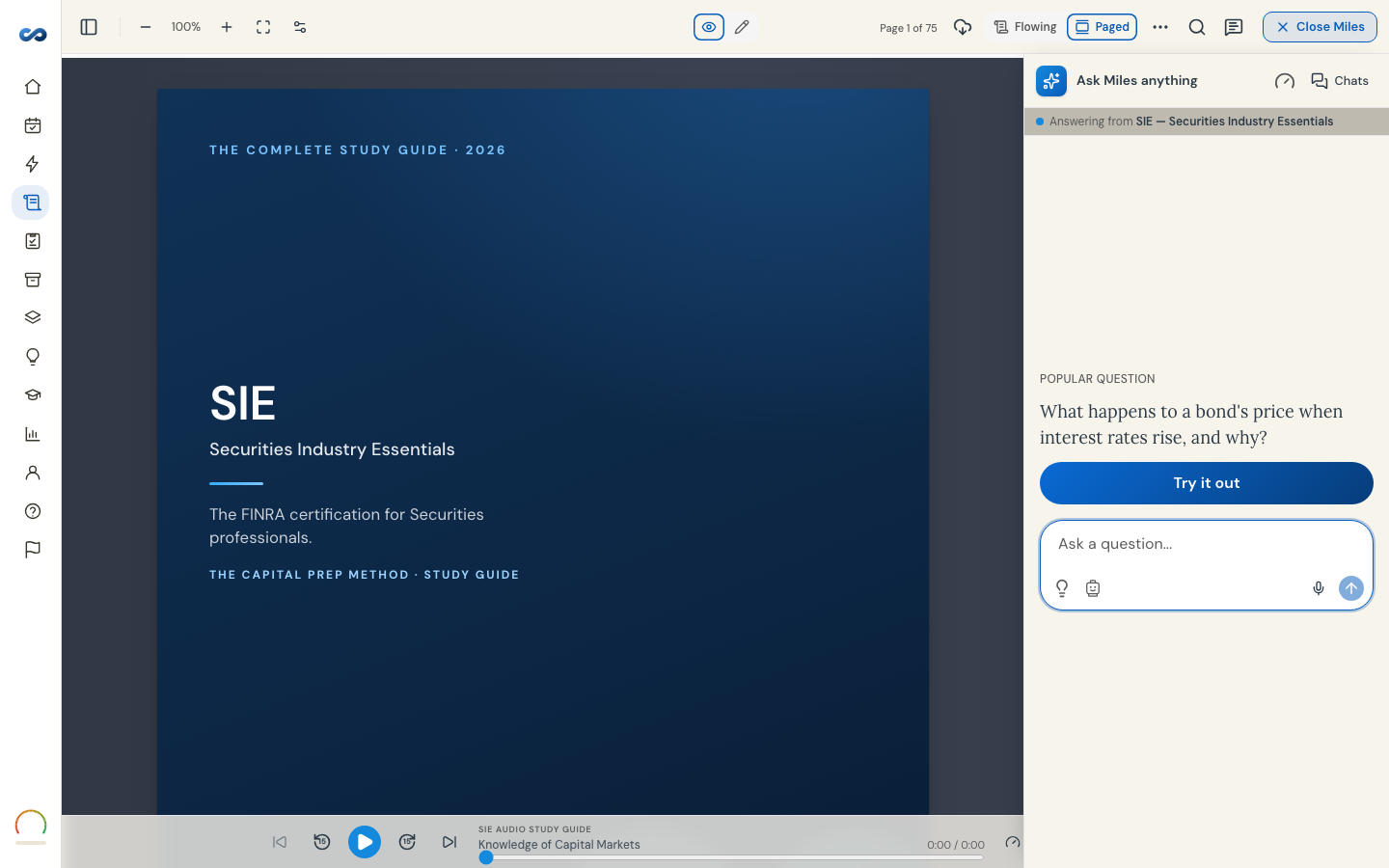
If you are not sure what to ask, the app hands you something worth asking.
Try it out
The first time you open Miles on an empty chat you see one strong question for your exam, and a single button under it: Try it out. Tap it and Miles answers it.
On a trial you already hold, the line underneath tells you plainly what it costs — "Uses 1 of your 50 free questions today" — so nothing is spent by surprise. At your daily limit the button goes away and the question stays, so you can come back to it tomorrow.
Popular questions
The lightbulb beside the message box opens a numbered list of the questions learners actually ask on your exam. Picking one starts a fresh chat and sends it for you, answered in whichever teaching tone you are on.
What they are, and are not
- They are specific to the exam this chat is on. You are only offered questions Miles can answer from your guide, which is why an exam with no list yet has no lightbulb rather than an empty menu.
- They are prompts, not canned answers. The reply is generated for you, in your tone, with links and references like any other — and it uses one of your daily questions.
- They are shortcuts, not limits. Typing your own question always works.
Follow-ups under an answer
Under the newest answer sit three more shortcuts: explain it in a fun, memorable way; give me a mnemonic; quiz me on this. Quiz me asks you a few short questions one at a time and marks your answers. Each of these asks Miles something new, so each uses one of your daily questions.
More in Ask Miles
Didn’t answer it?
hello@capitalprep.com · we aim to reply within a few hours.